Secure your account with two-factor authentication
At Sharesight, we believe the security of your investment data is important. To help you protect your account, Sharesight supports an additional layer of security called two-factor authentication (2FA). The following article provides some information on 2FA and how to leverage it when logging into Sharesight.

What is two-factor authentication (2FA)?
Two-factor authentication, also known as 2FA, is an extra layer of security that requires not only a password and username but also a unique token that verifies you as the account owner. Often, this unique token is a code that is sent to your phone via a text, voice call, or mobile app.
How Sharesight’s 2FA solution works
Sharesight’s 2FA solution requires an Authentication app installed on your mobile phone, we recommend using either Google Authenticator, Duo Mobile, Authy or Windows phone Authenticator, but other apps may also work.
Once enabled, you will be required to enter your Authentication Code in addition to the account password when logging in to Sharesight. If the device with the Authentication app is ever lost, you will need to use one of the backup codes provided during the 2FA setup process (important to save these somewhere safe) or else you will lose access to the account.
How to enable 2FA on your Sharesight account
The process to enable 2FA on your Sharesight account will be familiar for anyone who has used 2FA mobile apps before, and involves the following steps:
-
If you’re not using Sharesight yet, sign up for a FREE account to get started
-
If you don’t already have an Authenticator app on your mobile, install one from the list above
-
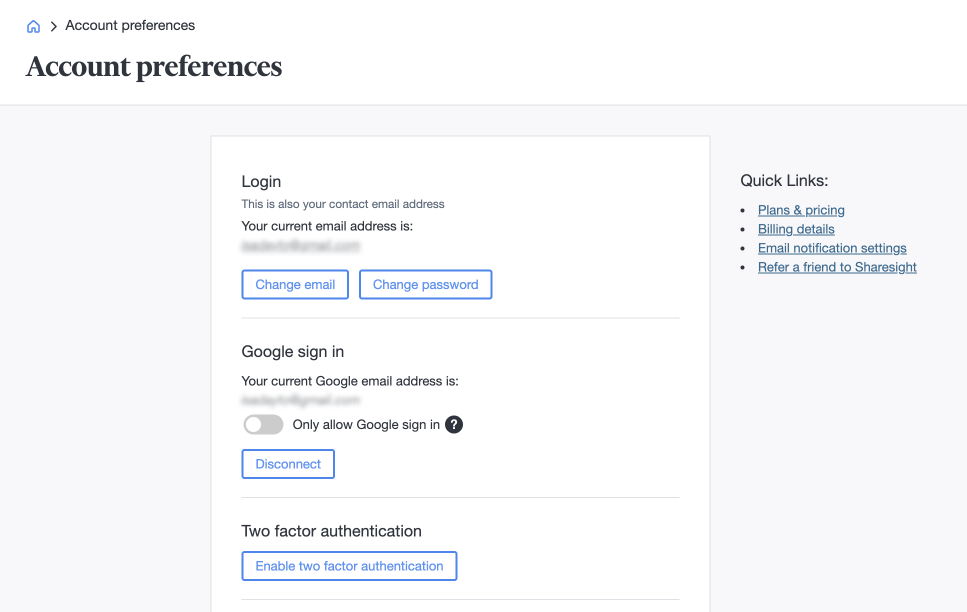
Navigate to Account > Account Preferences > ‘Enable Two-Factor Authentication’
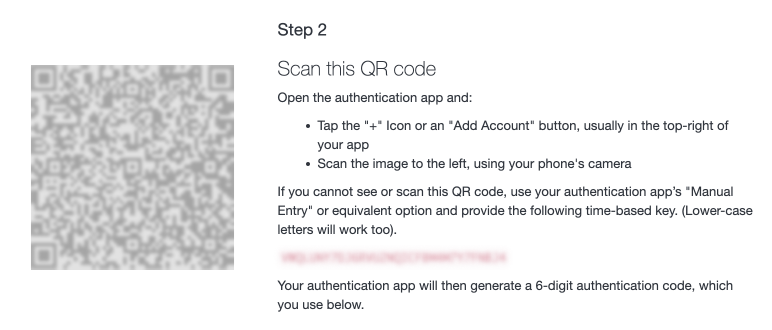
- Scan the QR code that appears with the Authenticator app
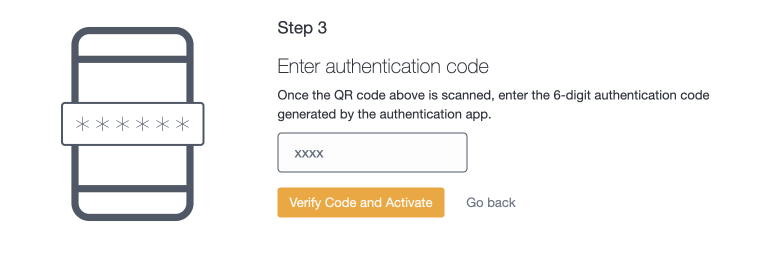
- Verify the Authentication Code the app displays by entering it into the field provided
- Save or print a copy of the backup codes in a safe place (this is important)
When you next login to your Sharesight account, you will be prompted to enter this 2FA Authentication Code when logging in.
For more information, read our help page on enabling 2FA on your Sharesight account.
Secure your financial future with Sharesight
Thousands of investors like you are using Sharesight to track the true performance of their investments and secure their financial future. What are you waiting for? Sign up today and:
-
Track all your investments in one place, including stocks in 36 major global markets, mutual/managed funds, property, and even cryptocurrency
-
Automatically track your dividend and distribution income from stocks, ETFs and mutual/managed funds
-
Run powerful reports built for investors, including Performance, Portfolio Diversity, Contribution Analysis and Future Income (upcoming dividends)
-
Get the true picture of your investment performance, including the impact of brokerage fees, dividends, and capital gains with Sharesight’s annualised performance calculation methodology
FURTHER READING


October top trades: Investors buy the AI selloff
The Nasdaq had its worst month since March 2025 and Sharesight investors bought the dip. See October’s most traded shares, from NVIDIA to NextDC.


Your complete portfolio performance: Product updates, October 2026
This month we added cash account performance, Australian funds composition data, faster custom investment price imports, and upgraded several reports.


Same foundations, different convictions: how Australian men and women really invest
Sharesight data shows Australian men and women share the same core ETFs – but women lead on ethical investing and buy-and-hold, while men trade more actively.