How do I run an Australian capital gains tax report?
We love blogging about new features and trends, but it’s important we don’t lose sight of one of the most useful and valuable features in Sharesight: CGT (realised and unrealised) reporting. We suppose if this were a 1980s sitcom, this would be the moment when the cheesy music starts and the father sits the son down on the lounge for a heart-to-heart chat.
Normally, it costs $300 to subscribe to our Aussie Investor Plan for one year ($275 if you sign up for 12 months). Having your portfolio's tax position calculated in two mouse clicks has got to be worth at least that much alone. If you disagree, how about we throw in unlimited holdings across three portfolios, unlimited shared portfolio access, support for overseas share markets, and Xero synchronisation?
There are two capital gains tax reporting options in Australian Sharesight plans. Both found in the Reports menu:
1. Unrealised Capital Gains Tax Report
(Available in Australian Investor, Expert, and Australian Shareight's professional plan plans)
The Unrealised Capital Gains Report calculates unrealised capital gains in your portfolio and the resulting taxable income that would arise if these shares were sold on the report date. The report is designed for forecasting purposes only, but is extremely useful as we approach tax time. Basically you can model your CGT liability. We’ve seen our share of market uncertainty so far in 2014. The ability to see the tax effect of crystallising those gains (or losses) is valuable for investors and professionals. Doing this with two clicks of your mouse is even better. The report is based on the ‘discount method’ for shares that were held for more than one year and the ‘other method’ for shares held for less than one year (you can change your discount rate on a per portfolio basis in the Settings menu). The report itself breaks down the portfolio’s short and long term unrealised capital gains, and any unrealised capital losses. Remember you can export this data to Excel, PDF, or better yet, you can share access to the portfolio with anyone you wish.
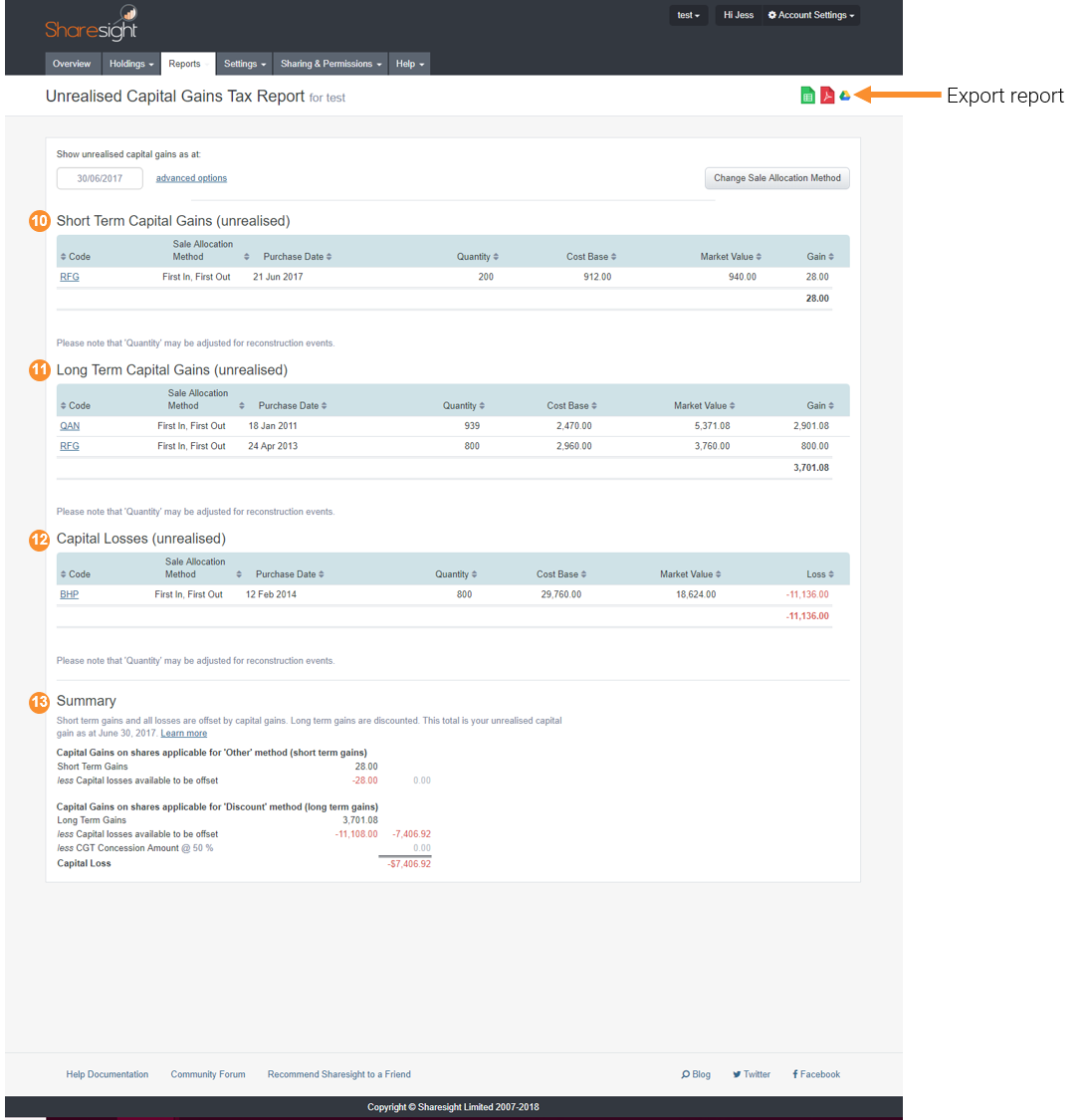
 Yikes. That's going to be an ugly tax bill
2. Capital Gains Tax Report
(Available in all Sharesight plans, except NZ)
The Australian Capital Gains Tax Report calculates capital gains made on shares as per Australian Tax Office rules. Here again, the report is based on the ‘discount method’ for shares that were held for more than one year and the ‘other method’ for shares held for less than one year. Again, you can change your discount rate on a per portfolio basis in the Settings menu The report itself breaks down short and long term capital gains and capital losses. Same as the unrealised report also provides a nice summary table at the bottom:
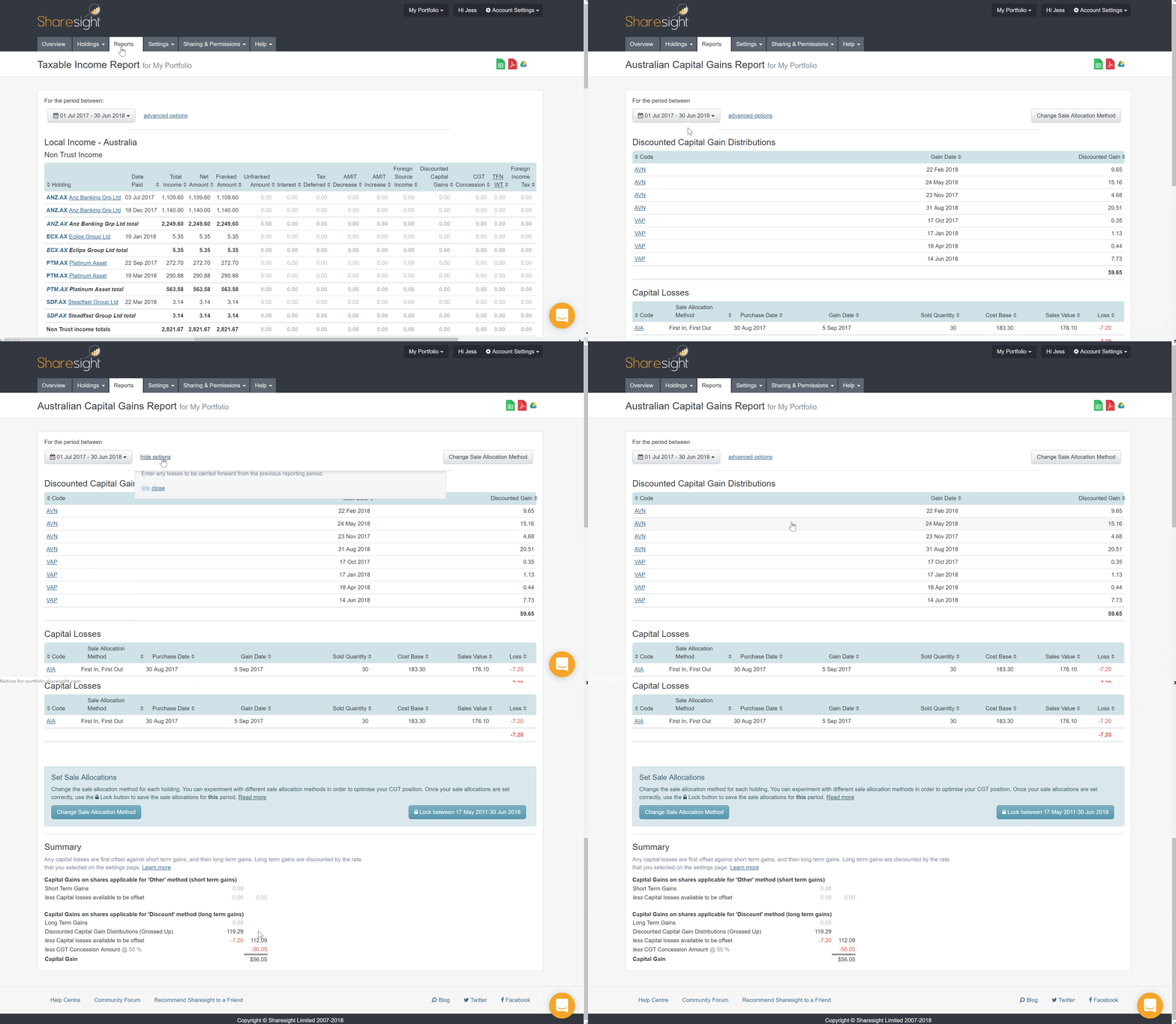
 You may export to Excel or PDF
But wait... there's more
You can customise your date ranges on both reports and you can lock in the method you've chosen. This means that you can alter the sale allocation methods again in the next reporting period without invalidating the CGT result for a previous period. Pretty cool.
You can also change your sale allocation method by clicking the button on either report. Choose from FIFO, LIFO, Maximise Capital Gains, Minimise Capital Gains, or our Sharesight Minimisation Method. Our in-house method is handy. We'll assume that you sell shares resulting in the lowest capital gains tax first. This method is more sophisticated than the Minimise Capital Gains method because it takes into account the discounting rules. The sales allocation method can be changed for specific holdings or for the entire portfolio.


Last you can choose to carry forward any losses from the previous reporting period. The carry-forward loss will be included in the losses section of the report.

Your time is better spent doing about a million other things than trying to work out your portfolio tax liability on a spreadsheet at the kitchen table. Make a tiny investment in Sharesight and get a few hours of your life back.
FURTHER READING


Product updates - September 2026
See what’s up and what’s down at a glance with our new gains & losses toggle, and more product improvements. It’s all in Sharesight’s September update.


August top trades: Apple ⬆️, Microsoft ⬇️ and Australians trade close to home 🇦🇺
Deep dive into the shares, stock and ETFs Sharesight’s investors bought and sold through August 2026, and stay up with the latest share trading trends.


Sharesight product updates – August 2026
This month's focus was on support for the Taipei Stock Exchange, franking credit estimates for Australian ETFs and a range of report improvements