EBROKING
If you trade via EBROKING, you can directly connect your brokerage account to Sharesight, allowing you to automatically sync your historic and ongoing trades to your Sharesight portfolio.
Note: This connection only shares your trade history and ongoing investment data with Sharesight. None of your personal account data is shared.
How to connect your EBROKING account to Sharesight
1 – Login to or sign up for Sharesight.
2 - On the ‘Let's get you started with Sharesight’ page, select the ‘Import from a Broker’ tile.
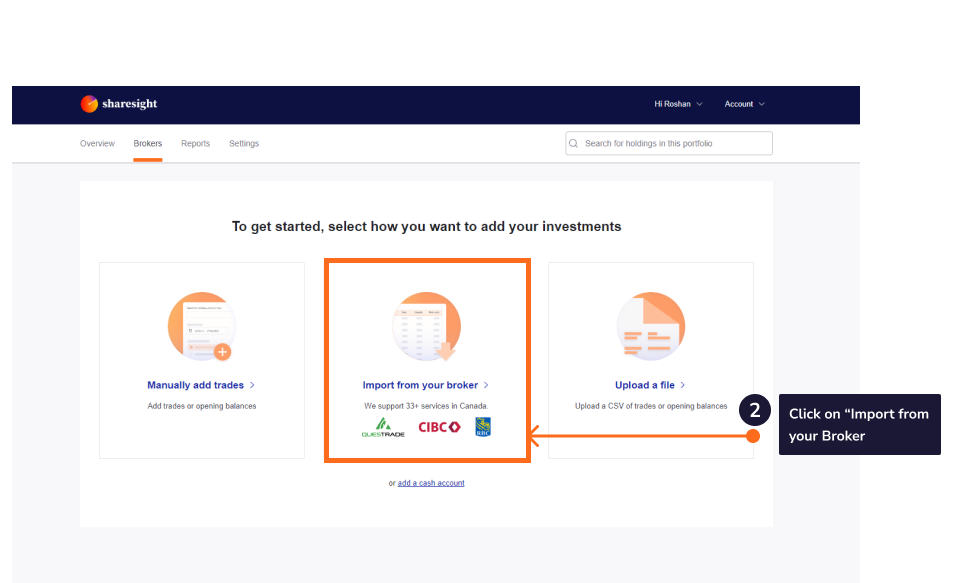
3 - Click on the ‘e.broking’ tile on the ‘Import from a Broker’ page.
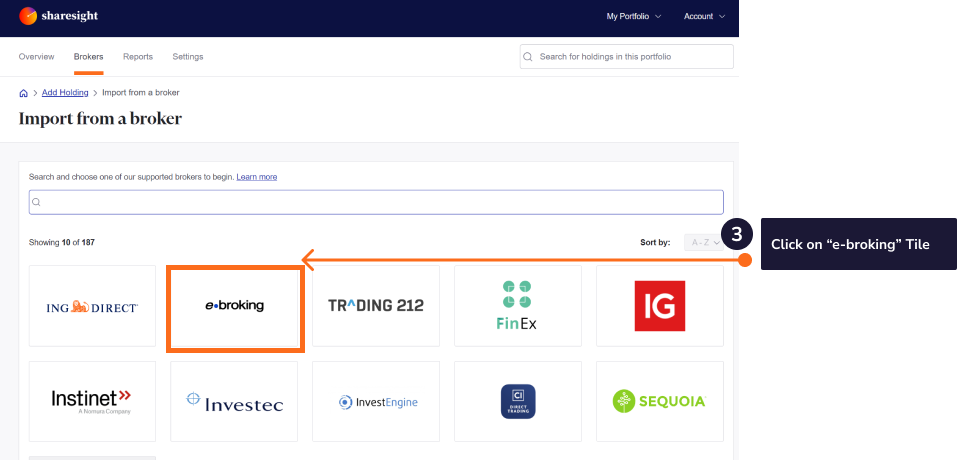
4 - From the ‘Import and sync your e.broking trade account with Sharesight' window, select the e.broking link. This will load e.broking.
5 - Sign in to your e.broking account.
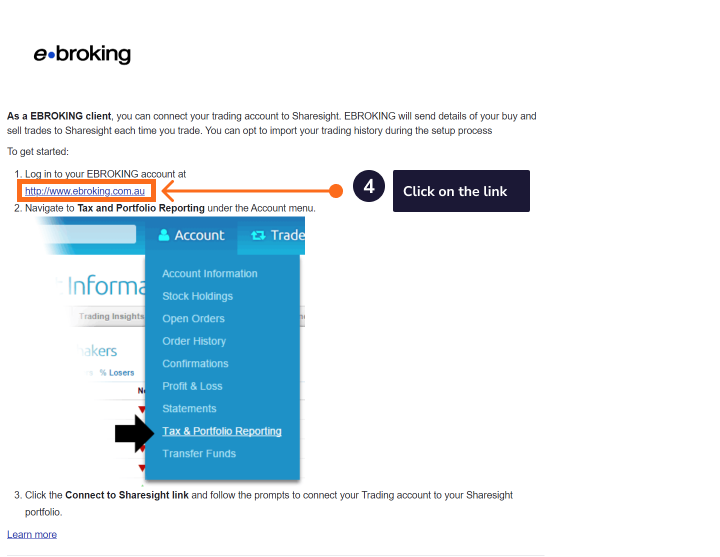
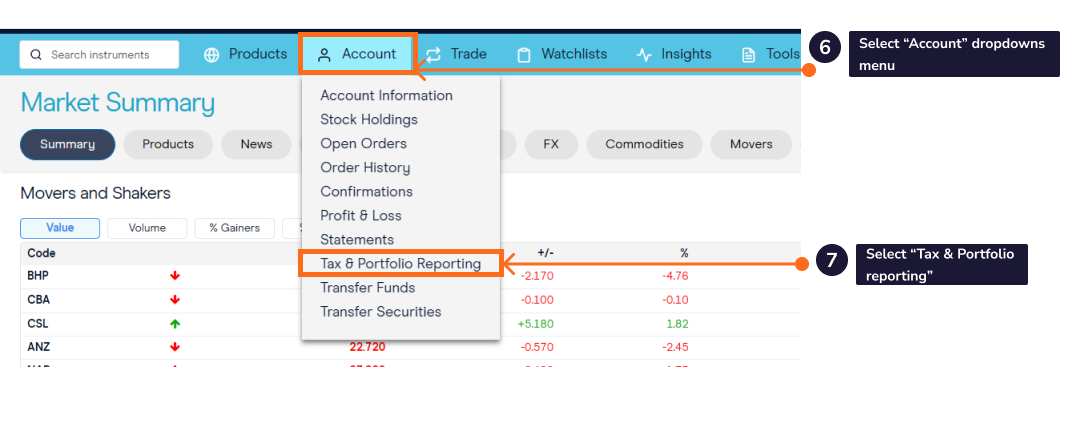
6 - In e.broking select the 'Account' dropdown menu.
7 - Select ‘Tax & Portfolio Reporting’.
8 - Click ‘Register’.
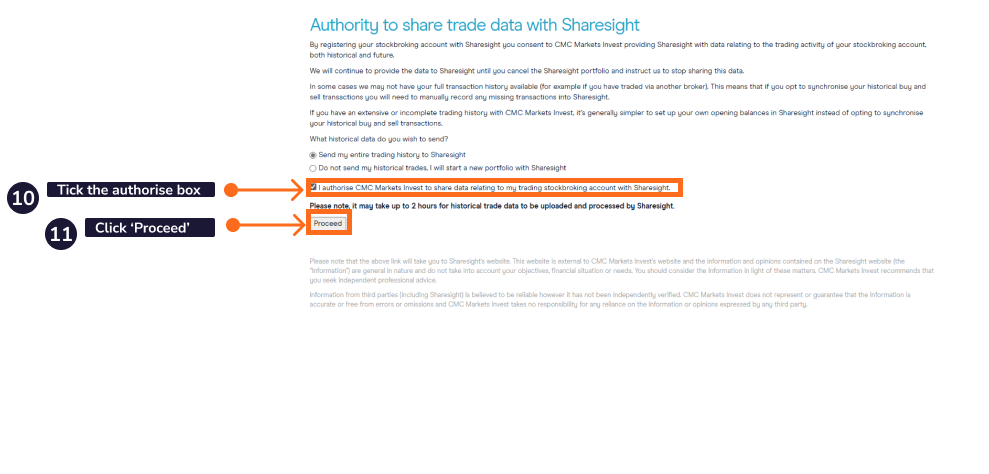
9 - From the ‘Authority to share trade data with Sharesight’ choose to share your historical trade data by selecting ‘Send my entire trading history to Sharesight’.
If this is selected it will download all buy and sell trades made by e.broking since you have held the trading account.
Note: If you have changed brokers and transferred the holdings to e.broking these trades will not be imported into Sharesight and will need to be imported manually.
10 - Select ‘I authorise e.broking to share data relating to my trading stockbroking account with Sharesight'.
11 - Click the ‘Proceed’ button.
12 - This will launch Sharesight. Sign in or sign up for a Sharesight account.
 13 - Select which portfolio you would like your e.broking holdings and trades to be imported to. You can choose an existing portfolio or create a new portfolio.
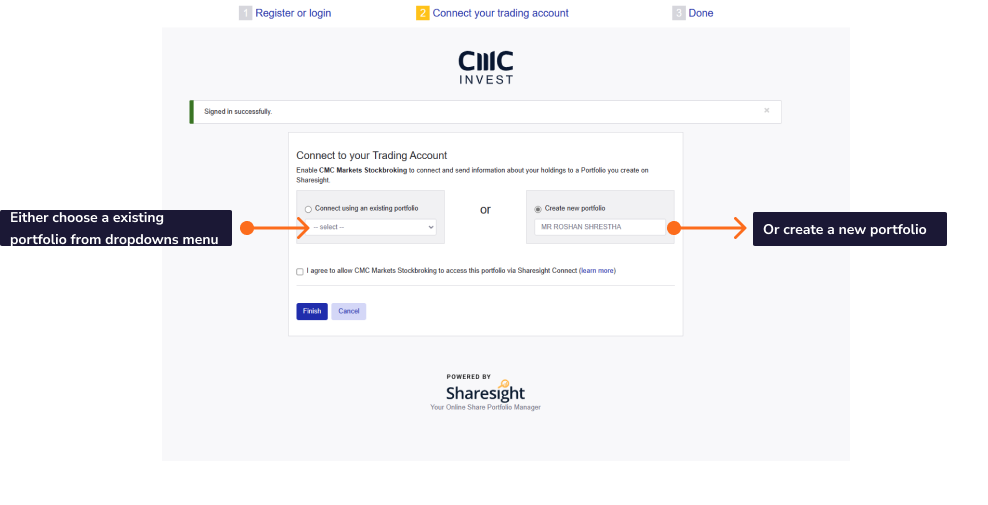
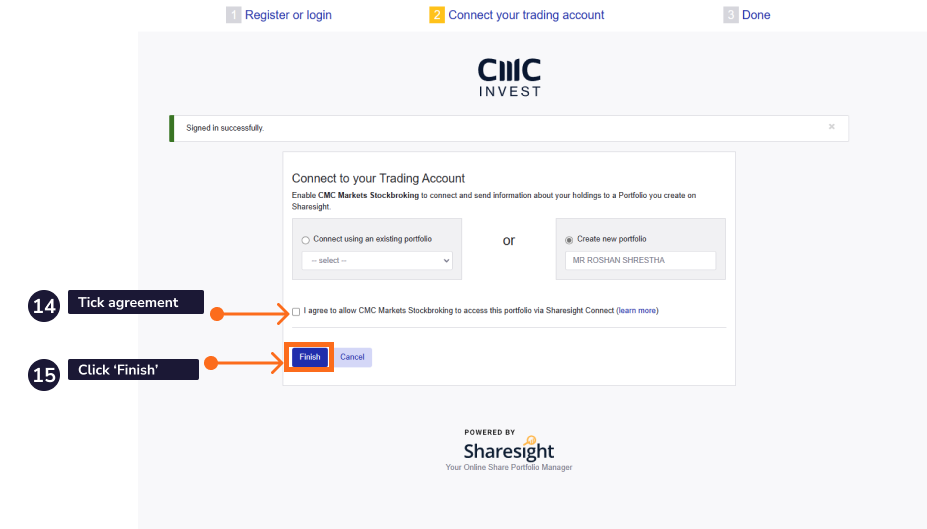
14 - Select ‘I agree to allow e.broking to access this portfolio via Sharesight Connect’.
15 - Click ‘Finish’.
16 - Once the trades are saved, your Sharesight portfolio will be populated and the Portfolio Investments Page will load.
Your holdings will be calculated by Sharesight’s performance calculation methodology, which is a money-weighted return methodology, meaning the performance figures take account of the size and timing of cash flows.
Once you have established the connection, any time you trade with e.broking your trades will automatically be synced to your Sharesight portfolio. Sharesight will also automatically track dividends and corporate actions for the holdings you have imported, plus any ongoing trades.
The connection between e.broking and Sharesight can be revoked at any time. However, it needs to revoked through both the e.broking website & Sharesight
After importing your portfolio
Now that your portfolio is populated, see What to do after importing your portfolio for next steps.
Other methods to import your trades
If you choose not to connect your e.broking account to Sharesight, you can also have your trade confirmation emails automatically forwarded to Sharesight to capture ongoing trades.